 Sporløs

Five ways to browse privately on iPhone
Safari Private Browsing
Private tabs in the browser you already use.
DuckDuckGo
An everyday browser; the Fire Button clears it all.
Firefox Focus
One page at a time, erased with the trash button.
Brave
Blocks ads everywhere; Shred clears one site.
Sporløs
Nothing is saved, and it forgets when you leave.
Safari Private Browsing
It's already on your iPhone. Tap More, then New Private Tab (step by step here). Apple says that in a private tab, Safari doesn't remember the pages you visit, your search history or your AutoFill information, blocks known trackers and strips tracking from links. You can lock Private Browsing with Face ID.
The catch is that private and normal tabs live side by side in the same app, and private tabs stay open until you close them. They're easy to forget, and just as easy to end up in a normal tab without meaning to.
DuckDuckGo
A full everyday browser from the search engine company, free on the App Store. It blocks most trackers before they load, along with cookie pop-ups and YouTube ads, and the Fire Button clears your tabs and browsing data at once. DuckDuckGo says it makes its money from search ads that don't track you. A subscription is optional and adds a VPN and more.
Because it's meant for everything, it can keep bookmarks and passwords and sync them. That's handy, but your browsing is only gone when you press the Fire Button.
Firefox Focus
Mozilla's small private browser, free. Focus has no tabs: you open a page, read it, and tap the trash button to erase your history, passwords and cookies. It blocks many ads and a wide range of trackers by default, and you can pin up to four shortcuts.
It's made for quick look-ups. If you like to keep a few pages open side by side, you'll miss tabs.
Brave
A free, open source browser that blocks ads and trackers on every site with Brave Shields and dismisses cookie banners. It has private tabs, and Shred deletes one site's data without logging you out of the rest, if you like after every tab you close. Brave Search is the default search engine.
There's a lot in the app: an AI assistant, a news feed, a crypto wallet that's off until you turn it on, and optional subscriptions such as Brave's VPN. That's a lot of browser if all you wanted was a private one.
Sporløs
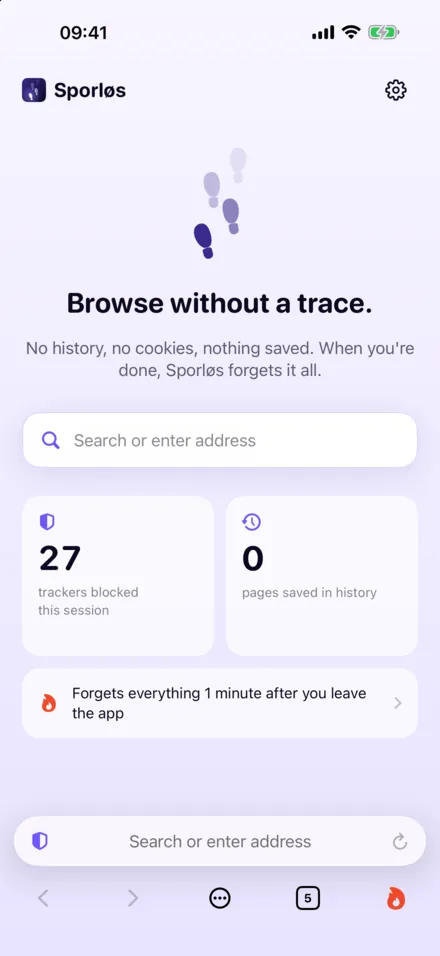
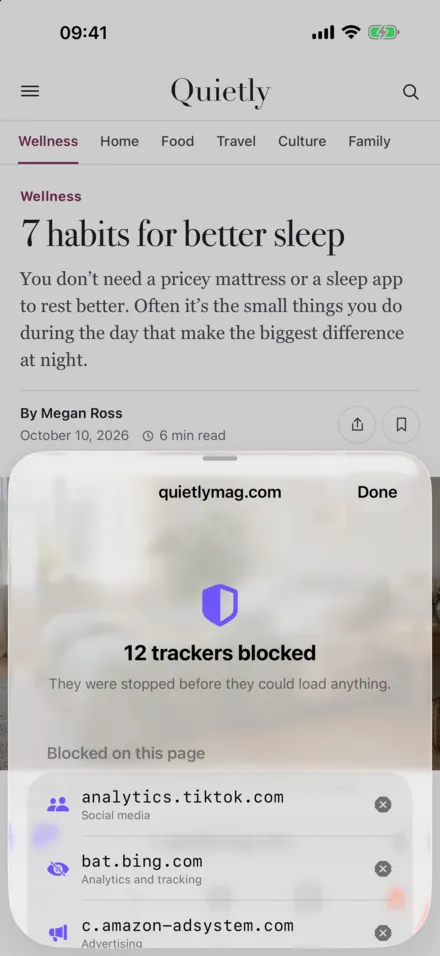
The one I make. Everything in Sporløs is private, so there's nothing to switch on: no history, cookies or site data are ever saved on the phone. Tap the flame to forget everything, or let it forget when you leave the app. It blocks trackers with a built-in list and shows you which ones it stopped, can lock with Face ID, and lets you pick the search engine: DuckDuckGo, Startpage, Brave Search, Ecosia, Qwant, Google or Bing.
 12
 34
- Nothing is sent until you tap Go
- Trackers blocked this session
- What it stopped on this page
- Each tracker by name
It has no bookmarks and no downloads on purpose, because those would be traces. The flip side is that every visit starts from scratch, cookie banners and sign-ins included. Sporløs costs $1.99, once: no ads, no account, no subscription.
What none of them does
None of these is a VPN. The sites you visit see your IP address, and your network and internet provider can see which sites you go to, whichever browser you use. In Safari, iCloud Private Relay hides your IP address from websites if you have iCloud+. DuckDuckGo and Brave both sell a VPN as part of a subscription. And if you sign in somewhere, that site knows who you are, private browser or not.
Which one to choose
For a private tab now and then, Safari is free and already there. If you want one browser for everything that's private by default, look at DuckDuckGo or Brave. For a quick look that leaves nothing behind, Firefox Focus or Sporløs. And if you want the forgetting to happen even when you forget, that's what I built Sporløs for.