 Sporløs
In Safari
- Open Safari.
- Tap the More button, the one with three dots.
- Tap New Private Tab.
Two taps in Safari
- 1Tap More, the three dots
- 2Tap New Private Tab
- 3The address bar turns dark
You can always tell where you are by the address bar: dark in Private Browsing, white or grey otherwise. To get back to your normal tabs, tap More again and choose New Tab.
On iOS 17 and earlier it works a little differently. Tap the Tabs button, swipe across to the Private tab group, and open a tab there.
How to turn off Private Browsing on iPhone →
In Chrome
Chrome calls it Incognito. Tap More, then New Incognito Tab. To move between incognito and normal tabs, tap Switch tabs and swipe left or right. The incognito session ends when you close the last incognito tab.
Private tabs stay open
Switching back to normal tabs doesn't close anything. Apple's own guide says the websites you have open in Private Browsing stay open. Pick up the phone tomorrow, and yesterday's private tabs are still there until you close them one by one.
If your iPhone has a passcode, Private Browsing locks when you're not using it, though not always straight away. To have it ask for your face before it opens, go to Settings › Apps › Safari and turn on Require Face ID to Unlock Private Browsing.
What it hides, and from whom
A private tab protects you from the next person who picks up your phone. Once you close it, there's no browsing history, search history or AutoFill information left behind. While you browse, Safari also blocks known trackers and strips the tracking codes some sites add to links.
Who can see what from a private tab
- HiddenYour iPhoneNo history, searches or AutoFill once you close the tab
- Can seeWi-Fi or work networkWhich sites you go to
- Can seeYour internet providerWhich sites you go to
- Can seeThe websiteYour IP address and what you do there
It doesn't make you invisible, though. The sites you visit see your IP address and what you do on them, and if you sign in, they know it's you. The Wi-Fi at work or school and your internet provider can see which sites you go to. Files you download stay in Files, and bookmarks stay in your bookmarks. If you also want to hide your IP address from websites, Safari has iCloud Private Relay, which comes with an iCloud+ subscription.
Thinking of a separate browser? Five private browsers for iPhone, compared.
A browser that forgets by itself
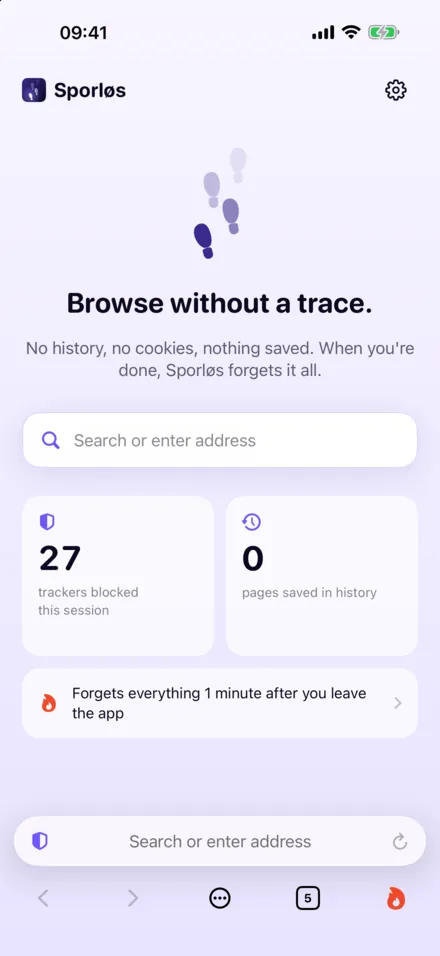
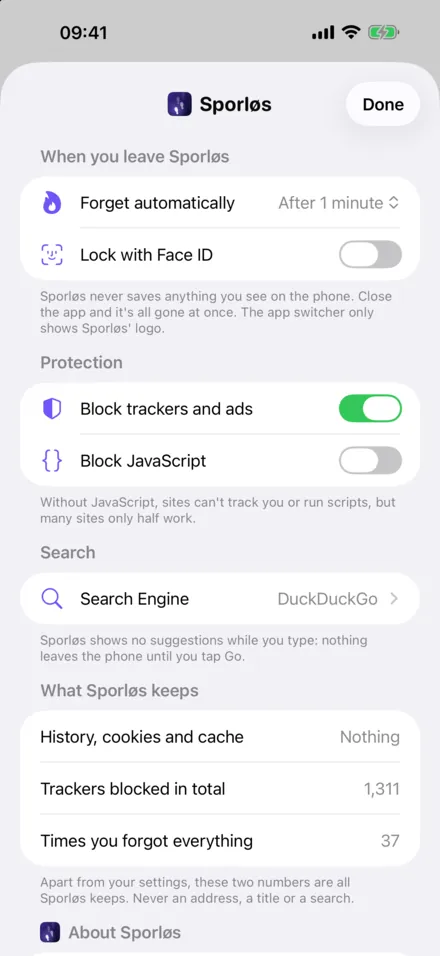
I made Sporløs for the times a private tab is too easy to forget about. There's no normal mode in it to slip back into: nothing is ever saved on the phone. Tap the flame, Forget everything, and every tab and all site data is gone. Or let it do the forgetting: right away when you leave the app, after 1 minute, after 15 minutes, or only when you tap the flame.
 12
 34
- The flame: Forget everything
- Forgets once you leave
- You choose when
- No history, cookies or cache
It blocks trackers with a list built into the app and can lock with Face ID, and the app switcher shows its logo, not your page. It isn't a VPN, so the sites you visit and your network see as much as they would in Safari. Sporløs costs $1.99, once.